We're currently upgrading our system, checkout will be back soon.

U
By Katy Samuels



If you recently switched to an eSIM or got a new phone with eSIM technology, you might find yourself wondering where to locate your mobile number. Unlike traditional SIM cards, where you could pop out the card and check the number printed on it, eSIMs are entirely digital, which means finding your number requires a slightly different approach. The good news is that discovering your eSIM mobile number is actually quite simple once you know where to look.
Before we dive into how to find your number, it helps to understand what an eSIM actually is. An eSIM, which stands for embedded SIM, is a digital SIM card that is built directly into your smartphone or device. Instead of inserting a physical card into your phone, you can activate a cellular plan from your carrier electronically. This technology has been gaining popularity because it offers greater flexibility, especially for people who travel internationally or want to use multiple phone numbers on a single device.
The eSIM works just like a traditional SIM card in terms of connecting you to your carrier's network, making calls, sending texts, and using data. The main difference is that everything is managed digitally through software rather than a physical chip. This means you can switch carriers or plans without having to wait for a new SIM card to arrive in the mail or visit a store.
The shift to eSIM technology affects users in several interesting ways. For starters, it makes life easier for frequent travelers who can now download a local data plan when they arrive in a new country without needing to find a store that sells SIM cards. Business professionals who need separate numbers for work and personal use can manage both on the same device without carrying two phones.
However, this convenience comes with a small learning curve. Many people are used to being able to see their phone number printed on their physical SIM card packaging or on the card itself. With eSIMs, that tangible reference point disappears. This can be particularly confusing when you first set up your eSIM or if you have multiple numbers on your device and need to figure out which one is which.
Additionally, when you get a new device or reset your phone, you might need to look up your mobile number again since it won't be as obvious as checking a physical card. Some people also find themselves in situations where they need to give their number to someone but realize they never actually memorized it because they rely on their contacts to call or text them.
Knowing how to find out your eSIM mobile number is more important than you might think. Your mobile number is essentially your digital identity when it comes to communication. You need it to sign up for services, verify your identity through two factor authentication, share with new contacts, fill out forms, and manage your account with your carrier.
It reduces the anxiety that can come with new technology and ensures you are never caught off guard when someone asks for your number. In professional settings, being able to quickly provide your contact information demonstrates preparedness and competence.
For those with multiple lines or international numbers, being able to distinguish between your different eSIM numbers becomes even more critical. You want to make sure you are giving out the right number for the right purpose, whether that is your primary personal line, work number, or a temporary international number.
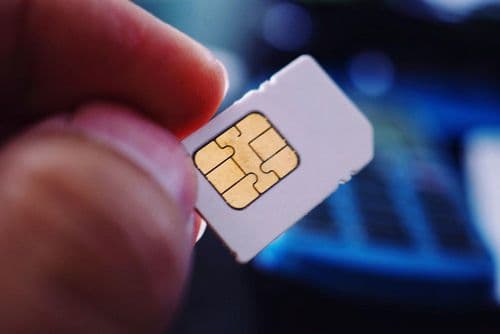
The method for finding your eSIM mobile number varies slightly depending on whether you are using an iPhone or an Android device, but the general process is straightforward across both platforms.
At VLE Mobile, we understand that transitioning to eSIM technology can raise questions, and we have designed our service to make the process as smooth as possible. When you activate your VLE Mobile service, we send you a detailed welcome email that includes your mobile number prominently displayed, so you always have a reference point. We recommend saving this email or taking a screenshot of your number for easy access.
Our customer support team is available to help you locate your number if you are having any difficulty. Whether you are setting up your first eSIM or managing multiple lines through our multinetwork plans, our team can walk you through the exact steps for your specific device. We have experience with all major phone brands and operating systems, so we can provide tailored guidance.
One of the benefits of choosing VLE Mobile is that we bundle premium mobile connectivity with comprehensive identity protection through Aura. All of our customers receive either the Complete Individual or Complete Family security plan depending on how many lines they have. This means that in addition to reliable voice, SMS, and data service on the AT&T network, you also get advanced digital security features that protect your personal information and identity.
For customers on our multinetwork plans, you get access to not just the primary AT&T network but also international roaming in over 80 countries and access to multiple US networks including AT&T, Verizon, and T-Mobile through our additional eSIM. This flexibility is perfect for travelers and people who need reliable backup connectivity. Managing multiple numbers and knowing which is which becomes easier with our clear account dashboard and customer support.
We also offer flexible prepaid plans with no contracts, which means you have the freedom to adjust your service as your needs change. Whether you need 3GB for light usage or unlimited data for heavy streaming and work, we have options that provide excellent value. Our pricing is competitive with other carriers, but we include the Complete security plan at no additional cost, which would typically cost between 20 and 30 dollars per month if purchased separately.
The security features from Aura that come with your VLE Mobile plan include identity theft monitoring, dark web monitoring, credit monitoring across all three bureaus for Complete plans, VPN protection for unlimited devices, spam call and text blocking, and up to five million dollars in identity theft insurance. These features work seamlessly in the background to protect you while you enjoy your mobile service.
Family plans with VLE Mobile are particularly valuable because when you have two or more lines, you automatically receive the Complete Family security plan. This covers up to 10 adults and unlimited children with full protection features, parental controls, safe gaming monitoring, and cyberbullying alerts. Each adult on the plan gets their own private portal and insurance policy, so everyone in your family is protected.
Setting up your VLE Mobile eSIM is straightforward. Once you sign up, we send you a QR code that you scan with your phone's camera. Your device then downloads the eSIM profile and activates your service. The entire process typically takes just a few minutes. If you run into any issues or have questions about finding your eSIM mobile number during or after setup, our support team is just a message or call away.
For customers who want to lock in savings, we offer prepaid plans for 3, 6, or 12 months. The longer commitment you make, the more you save per month. For example, our annual prepaid plans can save you up to several hundred dollars compared to paying monthly, and you get the peace of mind of having your service fully paid for the year with full price lock guarantee. Plus, with our unlimited data carryover feature on multinetwork plans, any unused data rolls over to the next month, so you never lose what you have paid for.
We designed VLE Mobile to be more than just a carrier. We wanted to create a service that addresses the real concerns people have today, which go beyond just having a phone connection. With identity theft and online security becoming major issues that affect millions of Americans every year, bundling top tier security protection with your mobile service made sense. You get the coverage you need with the protection you deserve, all in one simple subscription.
Whether you are a solo user looking for reliable service with excellent security features, a family that wants comprehensive protection for everyone, or a frequent traveler who needs international connectivity, VLE Mobile has a plan designed for your situation. And whenever you need to check your mobile number or have any questions about your service, we are here to help make your experience as seamless as possible.
Finding your eSIM mobile number does not have to be complicated. Whether you check your phone settings, look at your carrier's app, review your activation email, or simply call a friend to see what number displays, you have multiple easy options. The key is knowing where to look for your specific device and keeping that information accessible for when you need it.
As eSIM technology continues to become more widespread, understanding how to manage your digital mobile identity becomes increasingly important.
The future of mobile connectivity is digital, flexible, and secure, and knowing how to find out your eSIM mobile number is just one small part of embracing that future with confidence.
Stay informed about mobile technology and digital security.


Stay updated with our latest news and offers!